 |
ATV.PRO
An interactive display tool
for astronomical images written in IDL.
|
|
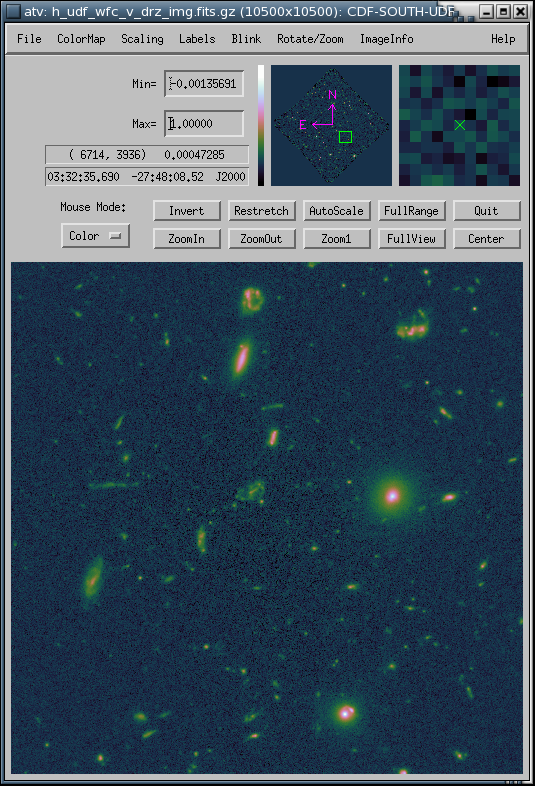
ATV is a
program for display and analysis of astronomical images using the
IDL image-processing language. It allows interactive control
of the image scaling, color table, color stretch, and zoom, with
support for world coordinate systems. It also does
point-and-click aperture photometry, simple spectral extractions,
and can produce publication-quality postscript output
images.
About ATV
Instructions for using ATV
Modification
history
Credits
ATV requires IDL version 8.0 or
higher, and the libraries listed below. It is particularly
important to have up-to-date versions of the GSFC IDL astronomy
user's library and the Coyote library, since there have been very
substantial changes to the GSFC library and its dependence on
Coyote routines during the past few years.
To run ATV, you will need:
Note about
other versions of ATV: There are a few alternate and
forked versions of ATV that can be found on other sites, some of
them modified to add features specific to certain telescopes or
instruments. These include a version designed for reduction
of Spitzer IRS data (as part of the SMART package), the PhAst
program which includes added astrometry and photometry
functionality, and a very old version of ATV with added HEALPIX
support that's distributed as part of the idlutils
package. However: I take no responsibility for any
forked versions of ATV, and the instructions and information on
this site may not apply to any modified ATV versions that you find
elsewhere.
If you're using the idlutils distribution but don't need to use
the HEALPIX support, then I strongly
recommend that you delete the ATV version that came with idlutils,
and install the current version of ATV instead. Also, note that
there may be other incompatibility issues between idlutils and the
current versions of the GSFC and Coyote libraries.
Questions? Comments?
Email me at barth [at] uci [dot] edu .
Back to my home page.